OK, I probably missed something so will go through carefully when I get time. Plenty of clues in these posts - and I am on node 6.10.2 still so please don’t give me any sympathy 
So @southside you are ahead of me. Watch your back man!
OK, I probably missed something so will go through carefully when I get time. Plenty of clues in these posts - and I am on node 6.10.2 still so please don’t give me any sympathy
So @southside you are ahead of me. Watch your back man!
When you run npm run pack-authenticator, it will run one of the two shell scrips in this directory.
For example, if you’re on Linux or macOS, it will run this script:
Let me know if that answers your question 
Ok, I’m good, I can confirm that if you do as you are told (mostly - I’m still on node 6.10.2 ) rather than miss vital steps like installing the prerequisites for keytar it works on LMDE / debian 8. I have a Web Hosting Manager that authorises (if I log into my keyring  ) and lets me create a public ID. Not gone further than that yet so node version might still trip me up. Thanks everyone!
@frabrunelle Thanks for answering my curiosity
Congrats! yeah the node version shouldn’t matter, as I’m always on node v7.2.0, and compiled without problems.
I have TWO public IDs
Eat my dust!!!
Its all gone kinda quiet…
I can now load the web_hosting_manager and authenticate
Next problem: My sites will not load. Individual index.html files will sometimes load.
I create a public ID, southside create a service nostrils, click on it and upload the relevant directory with index.html and css and img subfolders. I know this works cos its the same very simple site I have been using to test the past few months
In the terminal I see
gvfs-open: safe://nostrils.southside/index.html: error opening location: The specified location is not supported
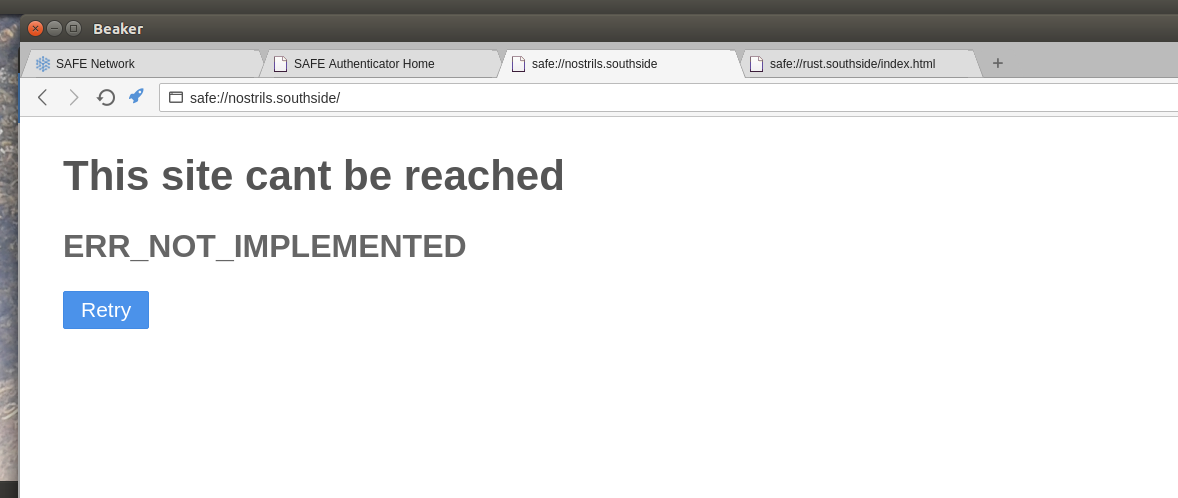
Ignoring this I go to the browser and enter safe://nostrils.southside
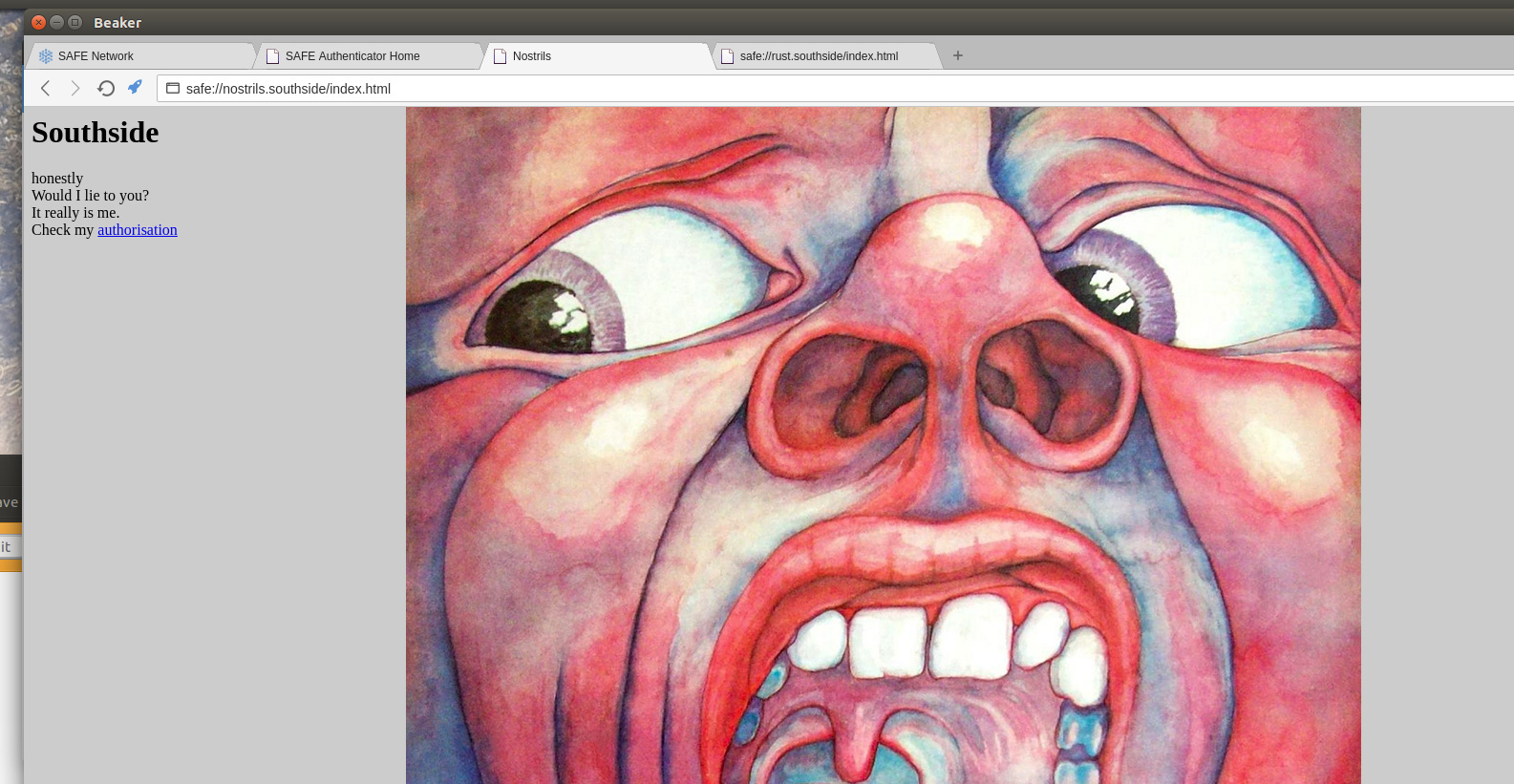
However if I enter safe://nostrils.southside/index.html, my handsome face is shown in all its glory.
The authorisation link doesnt work though…
ALSO:
when I try safe_examples/demo_app and do
npm install
npm run package
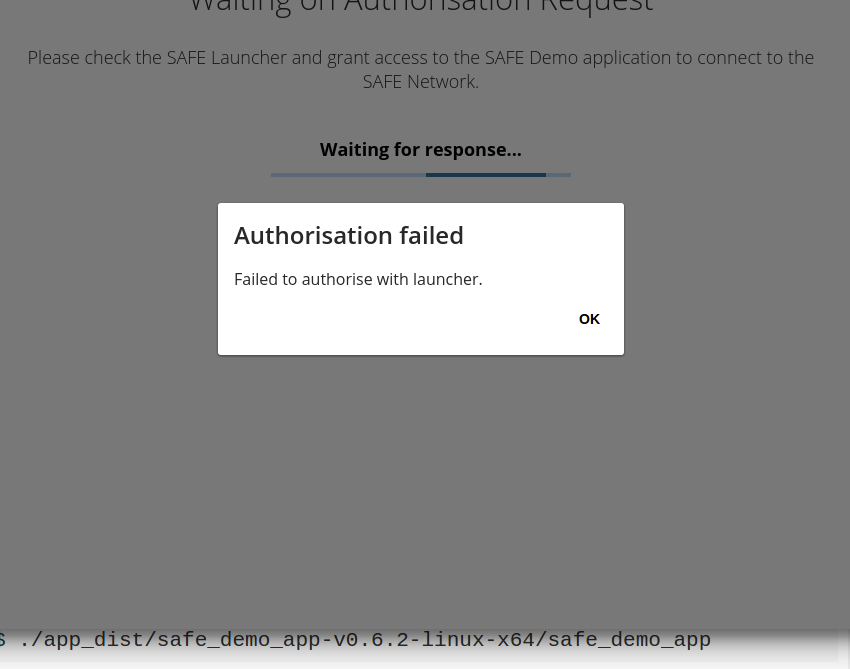
$ ./app_dist/safe_demo_app-v0.6.2-linux-x64/safe_demo_app
no authorisation dialog box is shown and it fails likes this
safe_examples/demo_app is not compatible with the new API. The only example apps that are currently compatible with the new API are the ones mentioned in the OP
Some updates got pulled in the repo:
I get a new error at npm run pack-authenticator
   Compiling ffi_utils v0.1.0 (file:///home/willie/projects/maidsafe/safe_browser/authenticator/native/ffi_utils)


error: struct field shorthands are unstable (see issue #37340)
  --> /home/willie/projects/maidsafe/safe_browser/authenticator/native/ffi_utils/src/catch_unwind.rs:54:21
   |
54 |                     error_code,
   |                     ^^^^^^^^^^


error: aborting due to previous error


error: Could not compile `ffi_utils`.

Build failed, waiting for other jobs to finish...


error: build failed
less /home/willie/projects/maidsafe/safe_browser/authenticator/npm-debug.log
0 info it worked if it ends with ok
1 verbose cli [ ‘/home/willie/.nvm/versions/node/v6.9.5/bin/node’,
1 verbose cli ‘/home/willie/.nvm/versions/node/v6.9.5/bin/npm’,
1 verbose cli ‘run’,
1 verbose cli ‘build-libs’,
1 verbose cli ‘features=mock-routing’ ]
2 info using npm@3.10.10
3 info using node@v6.9.5
4 verbose run-script [ ‘prebuild-libs’, ‘build-libs’, ‘postbuild-libs’ ]
5 info lifecycle beaker-plugin-safe-authenticator@0.1.0~prebuild-libs: beaker-plugin-safe-authenticator@0.1.0
6 silly lifecycle beaker-plugin-safe-authenticator@0.1.0~prebuild-libs: no script for prebuild-libs, continuing
7 info lifecycle beaker-plugin-safe-authenticator@0.1.0~build-libs: beaker-plugin-safe-authenticator@0.1.0
8 verbose lifecycle beaker-plugin-safe-authenticator@0.1.0~build-libs: unsafe-perm in lifecycle true
9 verbose lifecycle beaker-plugin-safe-authenticator@0.1.0~build-libs: PATH: /home/willie/.nvm/versions/node/v6.9.5/lib/node_modules/npm/bin/node-gyp-bin:/home/willie/projects/maidsafe/safe_browser/authenticator/node_modules/.bin:/home/willie/.nvm/versions/node/v6.9.5/lib/node_modules/npm/bin/node-gyp-bin:/home/willie/projects/maidsafe/safe_browser/node_modules/.bin:/home/willie/.nvm/versions/node/v6.9.5/lib/node_modules/npm/bin/node-gyp-bin:/home/willie/projects/maidsafe/safe_browser/node_modules/.bin:/home/willie/.nvm/versions/node/v6.9.5/lib/node_modules/npm/bin/node-gyp-bin:/home/willie/projects/maidsafe/safe_browser/node_modules/.bin:/home/willie/.cargo/bin:/home/willie/.rbenv/shims:/home/willie/.rbenv/bin:/home/willie/.nvm/versions/node/v6.9.5/bin:/home/willie/.cargo/bin:/home/willie/.local/share/umake/bin:/usr/local/sbin:/usr/local/bin:/usr/sbin:/usr/bin:/sbin:/bin:/usr/games:/usr/local/games:/snap/bin:/usr/lib/jvm/java-8-oracle/bin:/usr/lib/jvm/java-8-oracle/db/bin:/usr/lib/jvm/java-8-oracle/jre/bin:/usr/local/go.bin:/home/willie/projects/fabric/bin
10 verbose lifecycle beaker-plugin-safe-authenticator@0.1.0~build-libs: CWD: /home/willie/projects/maidsafe/safe_browser/authenticator
11 silly lifecycle beaker-plugin-safe-authenticator@0.1.0~build-libs: Args: [ ‘-c’, ‘node ./build_libs.js “features=mock-routing”’ ]
12 silly lifecycle beaker-plugin-safe-authenticator@0.1.0~build-libs: Returned: code: 1 signal: null
13 info lifecycle beaker-plugin-safe-authenticator@0.1.0~build-libs: Failed to exec build-libs script
14 verbose stack Error: beaker-plugin-safe-authenticator@0.1.0 build-libs: node ./build_libs.js "features=mock-routing"
14 verbose stack Exit status 1
14 verbose stack at EventEmitter. (/home/willie/.nvm/versions/node/v6.9.5/lib/node_modules/npm/lib/utils/lifecycle.js:255:16)
14 verbose stack at emitTwo (events.js:106:13)
14 verbose stack at EventEmitter.emit (events.js:191:7)
14 verbose stack at ChildProcess. (/home/willie/.nvm/versions/node/v6.9.5/lib/node_modules/npm/lib/utils/spawn.js:40:14)
14 verbose stack at emitTwo (events.js:106:13)
14 verbose stack at ChildProcess.emit (events.js:191:7)
14 verbose stack at maybeClose (internal/child_process.js:877:16)
14 verbose stack at Process.ChildProcess._handle.onexit (internal/child_process.js:226:5)
15 verbose pkgid beaker-plugin-safe-authenticator@0.1.0
16 verbose cwd /home/willie/projects/maidsafe/safe_browser/authenticator
17 error Linux 4.4.0-75-generic
18 error argv “/home/willie/.nvm/versions/node/v6.9.5/bin/node” “/home/willie/.nvm/versions/node/v6.9.5/bin/npm” “run” “build-libs” “features=mock-routing”
19 error node v6.9.5
20 error npm v3.10.10
21 error code ELIFECYCLE
22 error beaker-plugin-safe-authenticator@0.1.0 build-libs: node ./build_libs.js "features=mock-routing"
22 error Exit status 1
23 error Failed at the beaker-plugin-safe-authenticator@0.1.0 build-libs script ‘node ./build_libs.js “features=mock-routing”’.
23 error Make sure you have the latest version of node.js and npm installed.
23 error If you do, this is most likely a problem with the beaker-plugin-safe-authenticator package,
23 error not with npm itself.
23 error Tell the author that this fails on your system:
23 error node ./build_libs.js “features=mock-routing”
23 error You can get information on how to open an issue for this project with:
23 error npm bugs beaker-plugin-safe-authenticator
23 error Or if that isn’t available, you can get their info via:
23 error npm owner ls beaker-plugin-safe-authenticator
23 error There is likely additional logging output above.
24 verbose exit [ 1, true ]
/home/willie/projects/maidsafe/safe_browser/authenticator/npm-debug.log (END)
willie@gagarin:~/projects/maidsafe/safe_browser$ rustc -V && node -v && npm -v
rustc 1.16.0 (30cf806ef 2017-03-10)
v6.9.5
3.10.10
Hey @southside, I will double check tomorrow and upgrade the tutorial but I’m quite sure that error is due to an upgrade to rust v1.17 from the safe_client_libs, v1.16 is not supported anymore since last few days. Please upgrade rust to 1.17 and it should be fine.
Thank you. That works just fine now - it compiles and I can log in, get the auth dialog box OK and upload a simple site - Thank you.
As for the “wrong” version of rust – I was following exactly what worked last week. I had to set rustup overide to 1.16.0 as per the script from @draw.
1.17.0 specifically failed last week. I now know about the override command in rustup from that problem.
My apologies, it was late last night and I should have thought to check if a rust update would solve it.
Can we get a frequently updated header at the top of each tutorial stating exactly what the current prerequisite versions are?
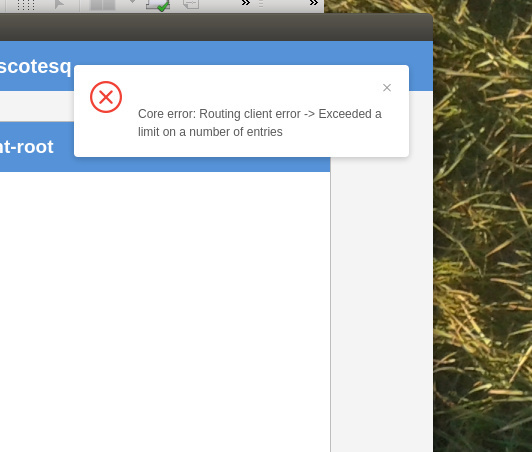
Is this error analogous to exceeding my quota of PUTs?
I thought this would be irrelevant when working locally with mock-routing?
I updated the rust beta which is v1.18 now and in safe_browser did
git pull
npm i
npm run rebuild
-etc-
There was no need to rebuild the web_hosting_manager as the git pull didn’t update anything but I now have a problem… I’m falling behind @Southside
I created an account in the browser and opened safe-auth, then ran the web_hosting_manager. I get to authorist it (click ‘Allow’) and the hosting manager shows the actions in response but then shows a small error dialogue which says “Fetching Access Info Failed: ERR_NO_SUCH_ENTRY”
The hosting manager console shows:
[PLUGINS] Loading from /home/mrh/src/safe_browser/dist/linux-unpacked/resources/app/node_modules
packagejson
[AUTO-UPDATE] Error: Disabled. Only available on macOS and Windows.
Registering protocol handler: safe
Registering protocol handler: safe-auth
Wiring up Web API: safeApp
Wiring up Web API: safeCipherOpt
Wiring up Web API: safeImmutableData
Wiring up Web API: safeCrypto
Wiring up Web API: safeCryptoKeyPair
Wiring up Web API: safeCryptoSecEncKey
Wiring up Web API: safeCryptoPubEncKey
Wiring up Web API: safeCryptoSignKey
Wiring up Web API: safeMutableData
Wiring up Web API: safeMutableDataEntries
Wiring up Web API: safeMutableDataKeys
Wiring up Web API: safeMutableDataValues
Wiring up Web API: safeMutableDataMutation
Wiring up Web API: safeMutableDataPermissions
Wiring up Web API: safeMutableDataPermissionsSet
Wiring up Web API: safeNfs
Wiring up Web API: safeAuthenticator
I’m using rustc 1.18 and node 6.10.3 on Debian. Am I missing something?
Yes. My good looks and charismatic misplaced modesty.
Not to be outdone, I’m getting a new error too.
Building the linux release of the SAFE browser
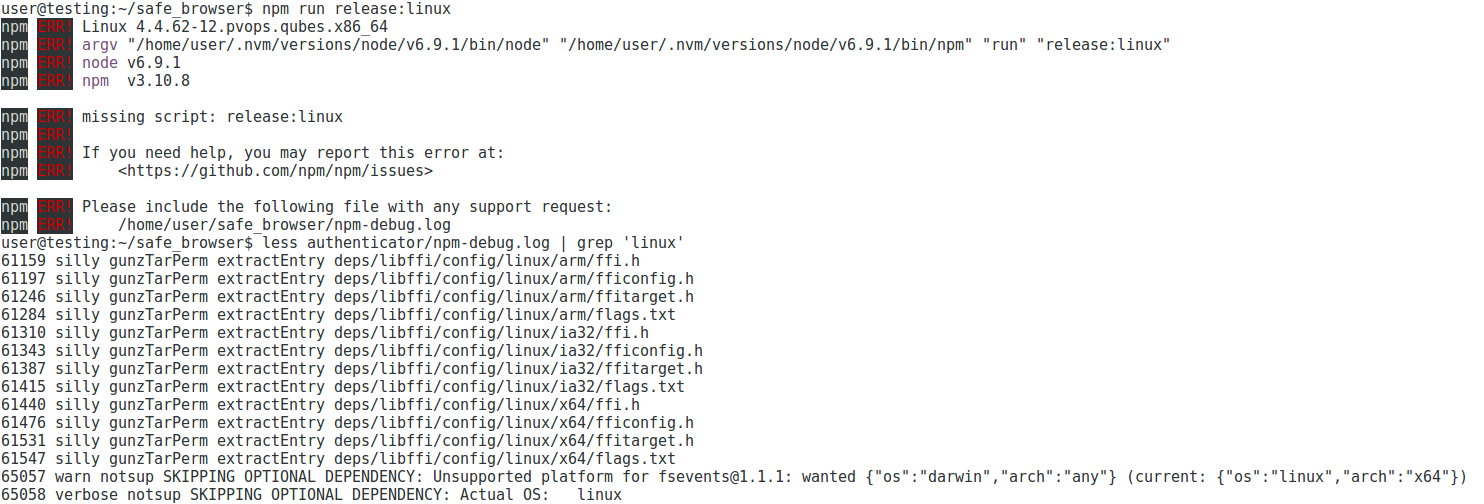
npm run release:linux
gives an error:
missing script: release:linux
Searching the npm-error.log for ‘linux’ doesn’t come up with anything obvious, at least not to me.
All packages are downloaded afresh, including node and Rust (v1.17.0). Any ideas?
Edit: should probably add I’m on a Debian 8 VM in Qubes.
For the browser
./dist/linux-unpacked/SAFEBrowser
was all I needed to get it started - after steps 1,2,3,4 and 6 from sn_browser/README.md at dev · maidsafe/sn_browser · GitHub
Ubuntu 16.04
willie@gagarin:~/projects/maidsafe/safe_examples/email_app$ node -v && npm -v && rustc -V
v6.9.5
3.10.10
rustc 1.16.0 (30cf806ef 2017-03-10)
Is that valid? I think you need:
npm run rebuild
npm run pack-authenticator
npm run build
npm run package
Duh. Yes I was following the wrong instructions. Thanks
Confirmation that the process @happybeing used above works on Ubuntu 16.04
npm run rebuild
npm run pack-authenticator
npm run build
npm run package
and then run it with
./dist/linux-unpacked/SAFEBrowser
I just rm -rf’d my safe_browser subdir and reinstalled with exactly these steps.
So the documentation is somewhat misleading, you need
npm run build
from step 5 of sn_browser/README.md at dev · maidsafe/sn_browser · GitHub
@frabrunelle Can you check that and amend the docs, please?
EDIT ah OK - I see you got it - good
Now I get a different problem…
After rebuilding the browser as above and nuking web_hosting_manager and rebuilding that as well…
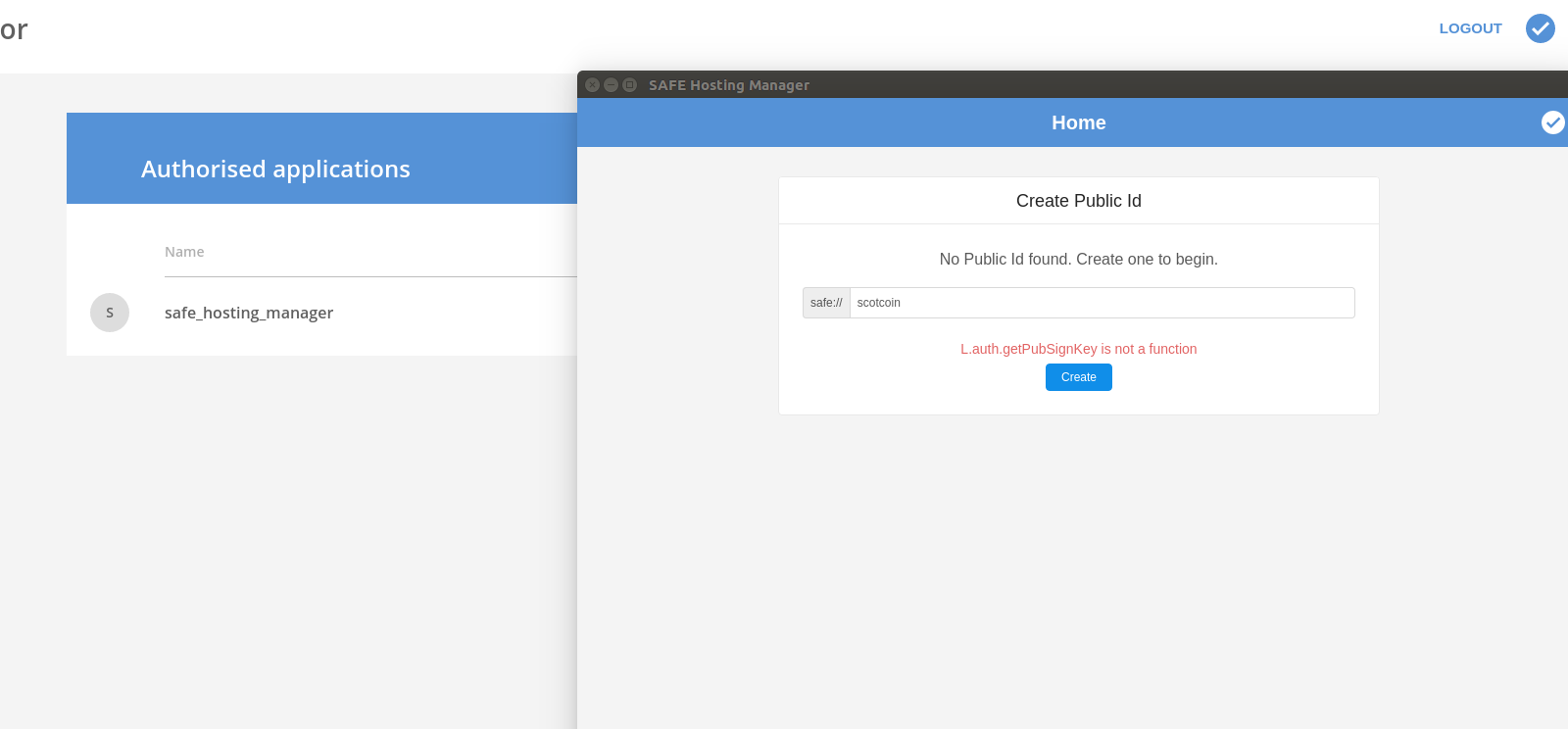
I make a new account in the browser authenticator and then attempt to create a new pulic ID.
But…
and we’re stuck.
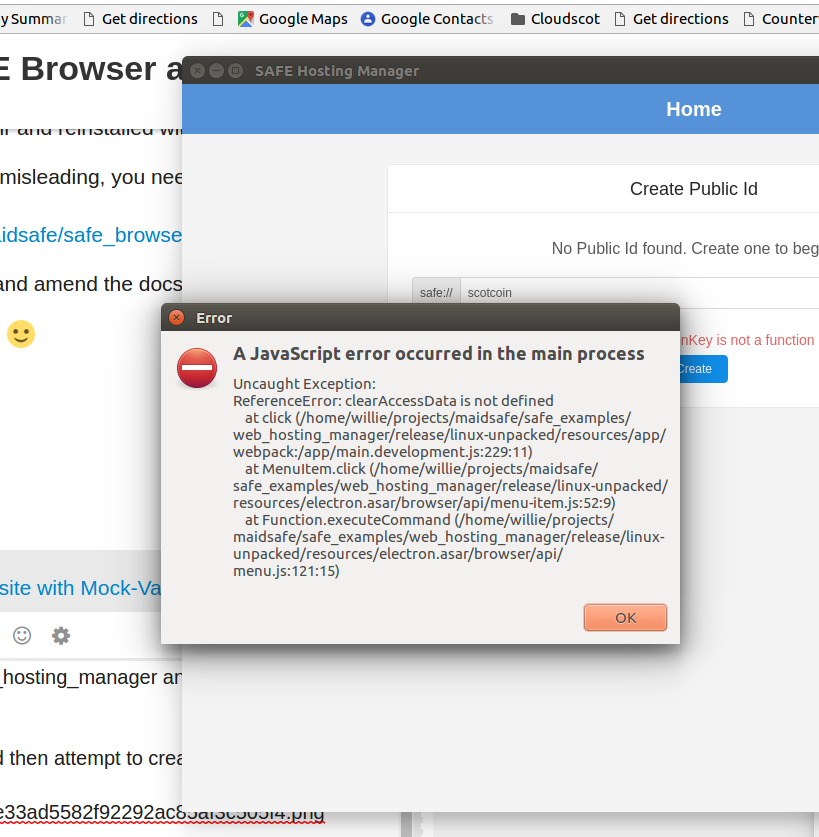
The only menu item that does anything is File| clear Access Data which gives
which Ive seen before and haven’t reported - sorry…
BTW the keyboard shortcuts don’t work but lets not get too worked up about that detail just yet…